
Before you interpret any airport diagram symbol, identify the publisher, chart type, legend and effective date. A mark that looks familiar can belong to a different chart family or publication system, so the key printed for that source should come before memory.
The same airport does not guarantee the same visual language
The current UK Aeronautical Information Publication explains that UK chart symbols are collected in GEN 2.3, Chart Symbols. Its aeronautical charts section says those symbols correspond with ICAO Annex 4, while additional symbols are included when an appropriate ICAO equivalent does not exist.
The US Federal Aviation Administration takes readers through its own products in an Aeronautical Chart Users’ Guide. The guide groups explanations and symbols by chart type and is updated when chart symbology or the depiction of information changes. Both systems are structured references, which is why recognising a shape is only the start of the job.
A four-step legend-first check
Find the authority or organisation responsible for the diagram. That tells you which symbol system and supporting publication to open.
Confirm whether you are looking at an aerodrome chart, airport diagram, VFR chart or another product. One publisher can use several chart families.
Match the exact mark with the key for that publication, then read its nearby label and any local note. Do not interpret the shape in isolation.
Check the issue or effective date. For operational use, also consult the current official updates and notices named by the publisher.
Three symbol questions that stop a quick misread
Ask: Is this a runway, taxiway or apron, stopway, or another mapped surface?
Check: The surface entry in that chart family’s own symbol sheet, plus any label on the diagram.
Ask: What feature and area does the mark apply to?
Check: The legend definition, the local chart note and the current official notices. A familiar cross or boundary should not be expanded beyond what the source defines.
Ask: Is this a general symbol category, a labelled point or a local operational note?
Check: The chart-family legend first, then the identifier and notes printed around that location.
Use artwork as a reading exercise, not as an operational chart
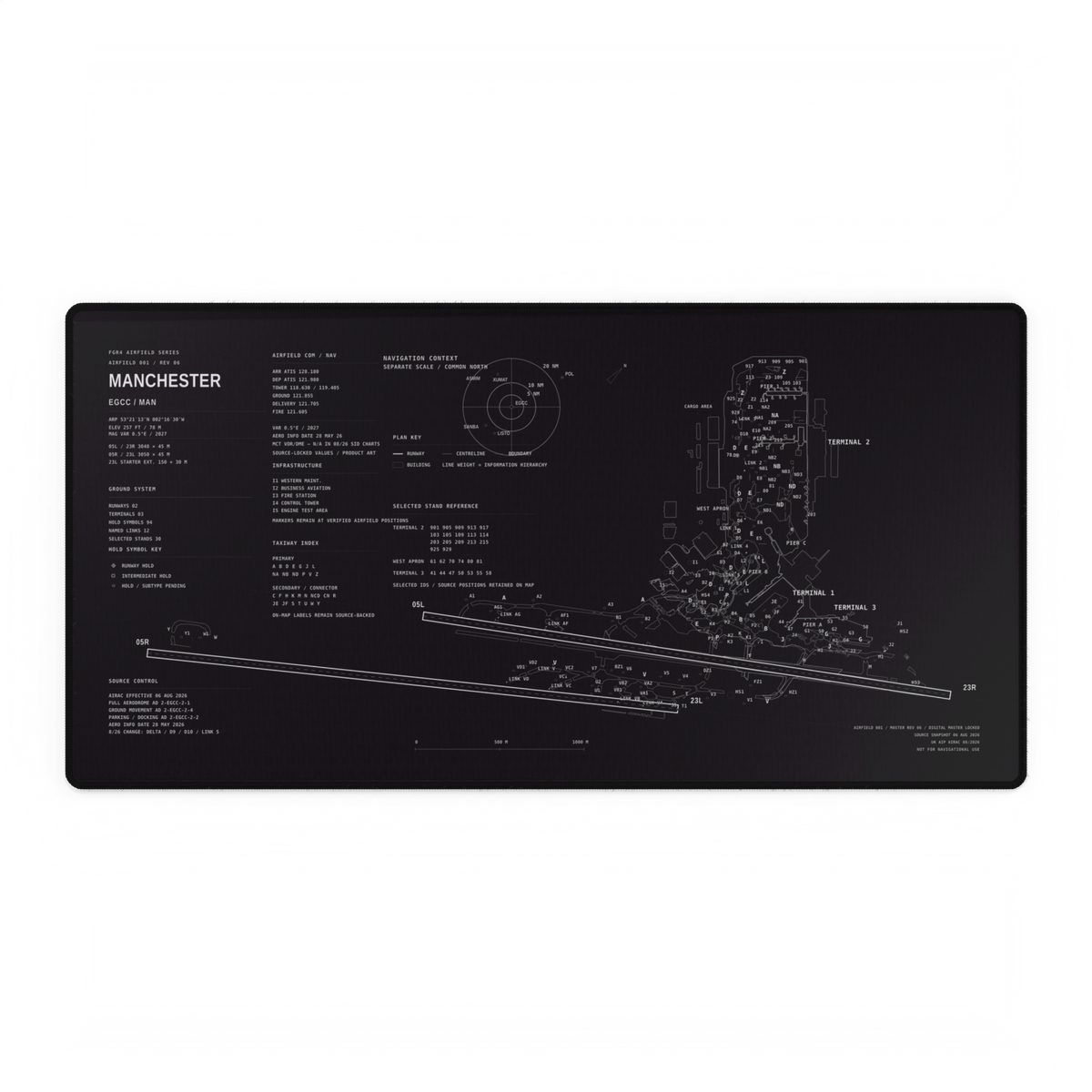
The owned Manchester Airfield Desk Mat artwork above visibly separates a plan key, a hold-symbol key and a source-control panel from the airport layout. That hierarchy makes a useful visual exercise: locate the key, choose one mark, trace it on the layout and read the label beside it.
The artwork also says it is not for navigational use. It is an aviation design object, not a replacement for current official aeronautical information. Our earlier guide to reading runways and taxiways explains the broad layout; this legend-first method deals with the next question—how to verify what a particular mark means.
Why the date belongs in your interpretation
The UK AIP issue checked for this article is effective 3 September 2026. The FAA guide page checked on 30 September lists an effective date of 9 July 2026 and tells readers to use current editions and check notices for important changes between publication cycles. A remembered legend without its publication and date is incomplete.
The same habit applies to identifiers. If a layout shows both local and international airport codes, use our MAN and EGCC airport-code guide to separate those systems before interpreting the rest of the information.
Your next five-minute check
Open one airport diagram and write down four things before studying the layout: publisher, chart type, legend location and effective date. Then choose one surface or closure mark and verify it from that exact source. You can repeat the exercise across the current FGR4 Airfield Series while keeping each artwork in its proper non-operational context.
Sources checked 30 September 2026. Hero image: owned FGR4 Manchester Airfield Desk Mat artwork. For operational decisions, use current official aeronautical information and notices.