
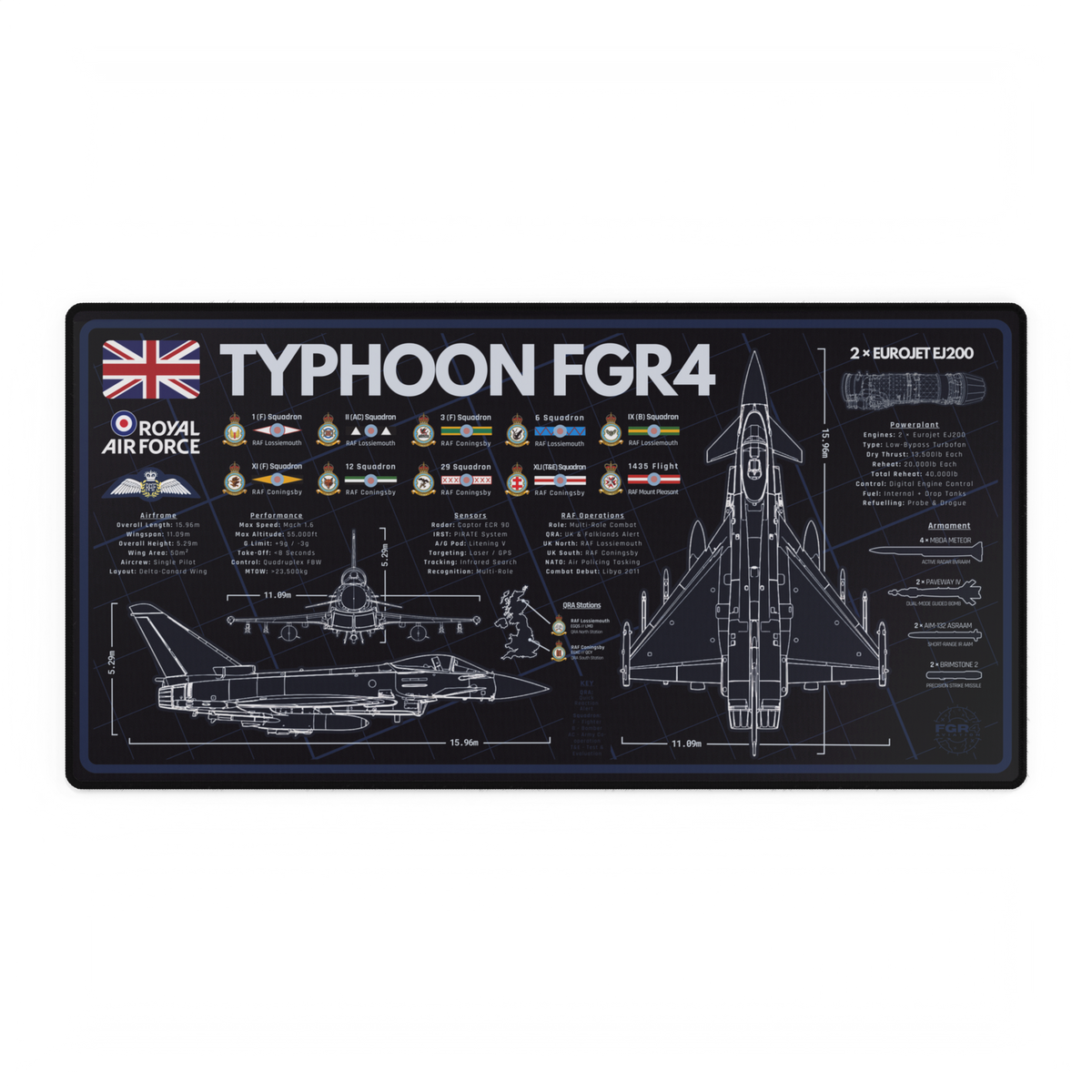

Some aircraft give a desk setup a heritage feel. The Eurofighter Typhoon does something different.
A Typhoon-led setup feels sharper, more current, and more technical. It suits RAF fast jet fans who want their workspace, gaming desk, or flight simulation corner to feel modern without turning it into a cluttered display shelf. The aircraft has a clean enough identity to work on a serious desk, but enough character to make the space feel recognisably aviation-led.
That is what makes the Typhoon such a strong FGR4 theme. It is not just a fast jet to put on a product. It is a direction for the whole setup: precise, structured, current, and unmistakably RAF.
Typhoon gives a setup a modern RAF feel
The Typhoon works well as a desk theme because it carries a very different mood from older RAF aircraft. A Tornado-led setup often feels rugged, low-level, nostalgic, and strike-aircraft focused. A Typhoon setup feels cleaner and more immediate.
That difference matters when someone is choosing what belongs on their desk.
A modern RAF fast jet setup does not need to be overloaded with aircraft items. In fact, Typhoon usually works better when the surrounding space is restrained. The aircraft already has a strong silhouette and technical feel, so the rest of the desk can stay practical: keyboard, mouse, monitor, notebook, headset, sim controls, and one clear aircraft-led surface tying it together.
For someone who follows RAF fast jets, airshows, modern combat aviation, flight simulation, or DCS-style military aviation content, the Typhoon gives the setup a current operational mood without needing much explanation.
The visual language is sharp rather than nostalgic
A good aircraft-led setup is not only about liking the aircraft. It is about whether the aircraft's visual language suits the space.
The Typhoon has a useful shape for this. Its delta wing, foreplanes, compact fast jet stance, and clean modern lines give it a sharper feel than many older aircraft. That makes it a strong match for desks with black peripherals, grey hardware, green or white accent lighting, technical prints, flight sim controls, and clean cable management.
The aim is not to turn the desk into a full cockpit replica. Most people still need the space to work, edit, game, fly, browse, or study. A Typhoon theme should make that everyday desk feel more personal and aircraft-led without making it harder to use.
That is why one strong surface usually does more than several unrelated decorations. A Typhoon desk mat or mouse pad can anchor the whole setup while still leaving the desk functional.
Typhoon versus Tornado as setup moods
Typhoon and Tornado both work for RAF aviation fans, but they do not create the same kind of desk.
The Tornado GR4 brings a retired strike-aircraft feel: low-level memories, variable-sweep wings, operational grit, and a strong connection to a particular RAF era. It is the aircraft for someone who wants their setup to feel like a remembered chapter of RAF fast jet history.
The Typhoon feels more current. It gives the setup a sharper fast jet tone: modern RAF, multirole combat aviation, clean lines, technical detail, and a more contemporary aircraft identity.
Neither route is better. They just say different things.
If the person is drawn to the Tornado's retired RAF character, the FGR4 article on why the Tornado GR4 remains a favourite with RAF aviation fans is the better comparison route. If they want something more current and precise, the Eurofighter Typhoon collection is the more natural place to start.
Start with one aircraft-led surface
The easiest way to build a Typhoon desk setup is to start with the main surface.
That might sound simple, but it matters. The desk surface is where the setup actually happens. It sits under the keyboard, mouse, notebook, joystick, throttle, headset, coffee, tablet, sketchbook, or whatever else the person uses every day. If that surface carries the aircraft identity, the setup feels aviation-led even before anything else is added.
For a full workstation, an aviation desk mat gives the strongest visual impact. It can frame the keyboard and mouse, protect the desk, and create a clear aircraft zone without needing extra clutter.
For a smaller desk, shared workspace, laptop station, or tighter gaming setup, an aviation mouse pad gives the same idea with a smaller footprint. It is also a good choice when the person wants the Typhoon theme to be present but not dominant.
The key is to avoid mixing too many aircraft at once. A Typhoon-led desk should have room to feel like a Typhoon setup. If every surface, print, model, and accessory points in a different direction, the theme starts to feel random.
Four Typhoon setup routes
There is no single correct Typhoon desk. The best route depends on how the person actually uses the space.
Clean RAF workstation
This is the best option for someone who wants an aviation desk that still feels grown-up and useful. Start with a Typhoon desk mat, keep the peripherals dark or neutral, add one subtle aircraft print or model if there is space, and keep the rest of the setup tidy. The result should feel like an aviation enthusiast's workstation rather than a display table.
Flight simulation corner
For a sim setup, the Typhoon theme can sit underneath the daily flying hardware. A desk mat can give the keyboard, mouse, stick, throttle, or button box a cleaner visual base. A mouse pad can work well if the controls take up most of the surface. The main goal is to make the sim area feel connected to modern RAF aviation without getting in the way of flying.
For wider flight sim gift and setup thinking, the FGR4 guide to aviation gifts for flight simulator fans explains why surface and desk upgrades are often safer than buying hardware blind.
Modern RAF display desk
This route suits someone who wants the desk to feel more visibly aircraft-led. Start with a Typhoon surface, then add one or two supporting items: a print, a small model, a squadron-style patch, a headset stand, or a framed photo. Keep the palette tight. Black, grey, white, dark green, muted blue, and metallic tones all work better than a desk full of unrelated colour.
Gift-ready desk upgrade
If the Typhoon fan already has a desk, a Typhoon-led surface is a safer gift than most simulator hardware. It does not need drivers, mounting brackets, floor space, desk clamps, or software compatibility. It simply adds aircraft identity to the space they already use.
That is why aircraft-specific desk products often feel more considered than generic aviation gifts. If someone likes the Typhoon, the specificity is the point.
Keep the setup useful first
The best aviation setups are still useful desks.
That means the Typhoon theme should support the way the person works or flies. Leave room for the mouse to move. Leave the keyboard comfortable. Keep sim controls accessible. Avoid placing models or display pieces where they get knocked every time the person reaches for a drink or headset.
Lighting should help the setup rather than overpower it. A soft green, white, or neutral accent can work well with RAF and technical aviation themes. Harsh lighting or too many competing colours can make the setup feel less refined.
Cable management is also more important than people think. A Typhoon-themed desk with clean cables will usually look better than a desk with more aviation items but no structure. The aircraft gives the identity; the layout gives the setup its quality.
For broader layout ideas, the FGR4 guide to RAF aircraft desk setup ideas is a useful next step.
Where FGR4 fits into a Typhoon setup
For a focused modern RAF fast jet setup, the most direct route is the Eurofighter Typhoon collection. It keeps the aircraft choice clear and gives the desk a specific direction rather than a generic aviation theme.
If the person wants a wider RAF setup, the Royal Air Force collection is the better browsing route. That works well for people who like Typhoon but also want broader RAF aircraft, fleet, or military aviation designs.
If the format matters more than the aircraft, start with the main product category instead. The aviation desk mat collection is best for a larger workstation or sim desk, while the aviation mouse pad collection is better for smaller spaces.
The strongest choice depends on the setup:
- choose Typhoon if the aircraft is the main interest;
- choose Royal Air Force if the wider RAF identity matters more;
- choose desk mats if the person has space for a full surface;
- choose mouse pads if the setup is smaller or shared.
Final approach
A Eurofighter Typhoon desk setup should feel sharp, useful, current, and recognisably RAF.
It does not need to be crowded. It does not need a dozen aircraft items. It works best when the Typhoon is allowed to lead the space through one strong surface, a restrained colour palette, and a few practical choices that support the way the desk is actually used.
For modern RAF fast jet fans, start with the Eurofighter Typhoon collection. For broader RAF setup ideas, browse the Royal Air Force collection. And if the main goal is to upgrade the surface itself, choose from FGR4's aviation desk mats or aviation mouse pads.